Introduction
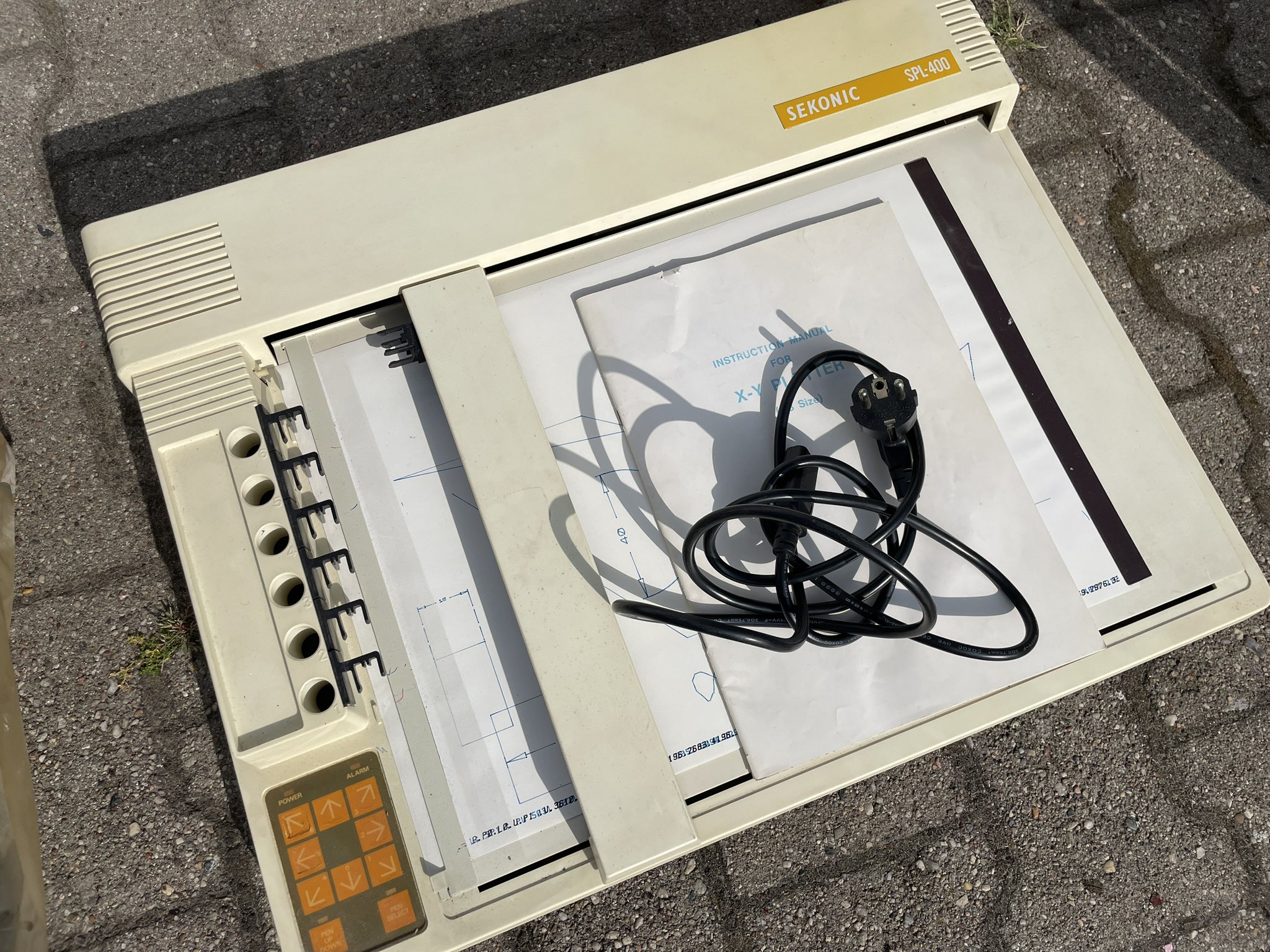
After seeing so many artists around me using plotters, I decided to get one myself. Funnily enough, the moment I started to look for one, it popped up in my searches. A single vintage Sekonic SPL-400, in a second hand shop in Spandau, here in Berlin. The shop was only opening on Saturdays, so after consulting with Marcel Schwittlick (leading expert on vintage plotters here in Berlin, hands down - who gave me a “get it ASAP”).
absolutely!!! take it ASAP. - Marcel Schwittlick
I patiently waited for it. Saturday morning, money in my pocket, went to check it out. Turned it on, and it started immediatly to give a nasty crrrrrr noise. Which gave me the opportunity to ask for a discount. Got it for 110 euros and confidently took it home. In the meantime, I went to DAM projects to check out Manfred Mohr’s exhibition - Liquid Symmetry, and I was lucky enough to meet him in person. Which felt like a good omen.
Went home, started dismembering it, but it didn’t really need too much work - almost no dust, electronics in top shape. The noise was coming from the Y axis, which probably got a tiny bit crushed during transport to the shop. Just pushed it back into shape and off we go. Fabricated some makeshift pen holder and started my first test plots. I was hooked.
Sekonic SPL-400
There’s not a lot of information about this plotter online, I’d even say zero. The closest model existing is the SPL-450 (compatible with the HP7475), a more modern version. The SPL-400 has 8 pen holders for easy pen switching, A3 paper format, cropped to a slightly smaller format due to mechanical constraints. No serial port, only parallel port. It makes a lovely noise, almost musical. I was fortunate enough to get the official handbook with it, and if not done yet, I’ll scan it and put it online. In terms of software, it’s HPGL compatible, so it will be fairly easy to program.
Process
Making it communicate with a computer was a story in itself. Of course, I could’ve asked for advice how to run it in the best way, but that would’ve been cheating. So I went the hard way. Ordered a usb-to-parallel cable and tried to make it communicate with my computer. First attempt was to try to use an old driver with Windows 11 with locked my computer in a boot loop as it tried to load the driver on startup and immediately failed every time.
Removed that funky driver and installed the WinLine driver, which worked like a charm. For a price. For a premium price. For a price higher than the plotter itself. And no learning associated with that.
But that still felt like cheating, so I continued hunting informations about the best way to communicate with it. Went through the motions of trying to communicate with it directly through the usage of various libraries and programming languages (from Python with pyserial and pyparallel to Rust and rusb/yusb). My basic investigation with lusb brought up the part number QinHeng Electronics CH340S which is a usb-to-serial conversion chip.
This chip has 3 different modes:
- a usb-to-serial mode
- a usb-to-printer-port mode
- a last mode I can’t remember and not really relevant here
Obviously, the usb-to-printer mode was hard flashed in the chip, which didn’t allow me to switch modes and communicate through serial.
In the end, a simple cat file.hpgl > /dev/usb/lp0 worked wonders which Marcel also confirmed. So I’m back to the basics, and I’m happy with it. I’ll probably try to make a small program to send the files to the plotter, but that’s for later.
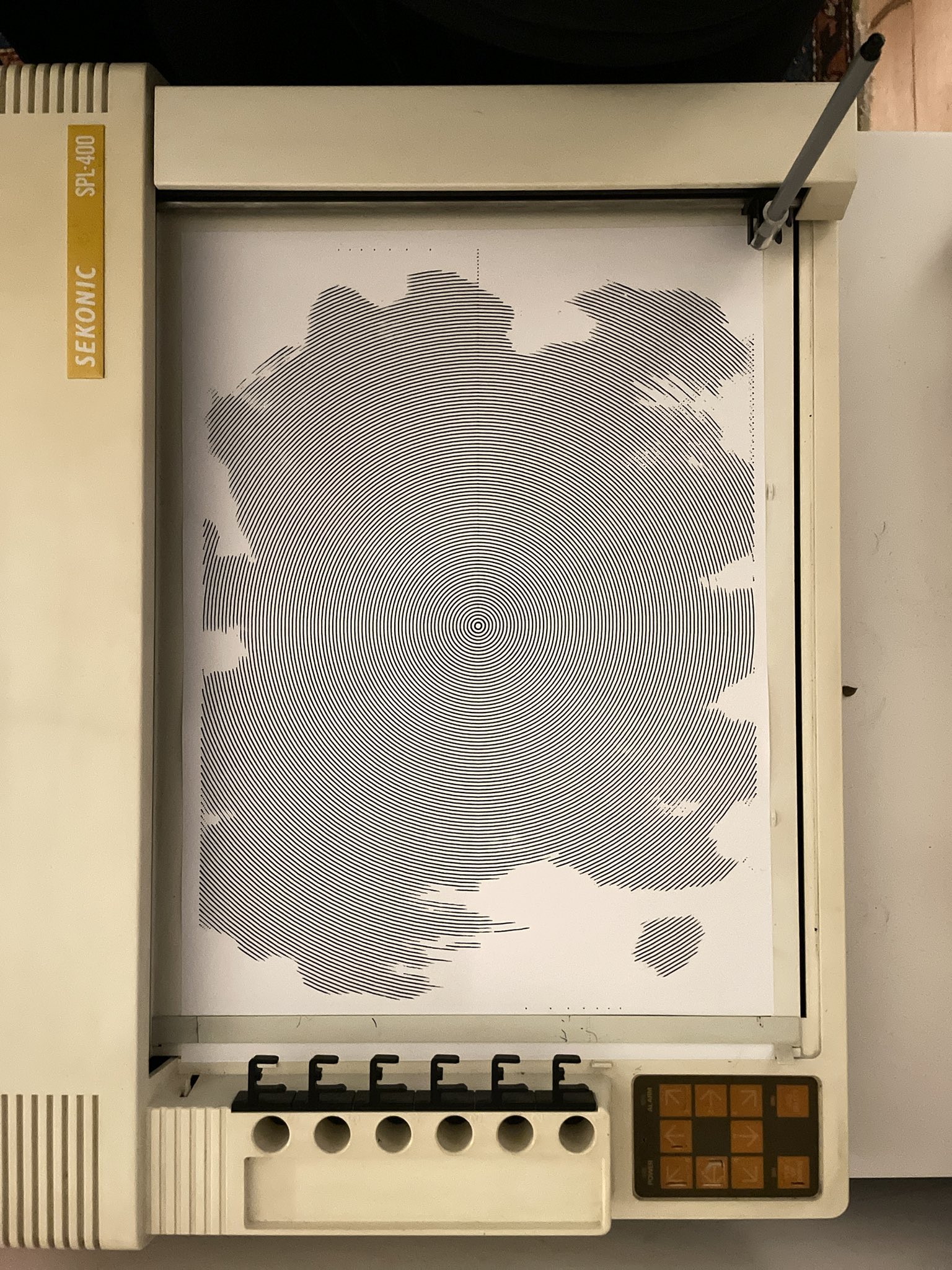
Next step is probably to get a proper usb-to-serial-to-parallel interface to get control over what is sent, and most importantly some feedback from the plotter - which I don’t get by using a usb-to-printer cable. And my knowledge in writing drivers for linux is next to null. The feedback is essential for controlling how much data is being sent to the plotter. These vintage plotters have a tendency to fill up their buffer, and flat out stop in their tracks if they receive too much data.
Current status
Most of the dev work has been focussed around creating a simple REST api that simplifies the communication with the plotter. It’s running on a Raspberry pi, which serves as a basic printing server. It was also the perfect opportunity to test Bun which is a new fast all-in-one JavaScript runtime for Linux and OSX. Note aside, it is absolutely freaking fast compared to Node.js. Very refreshing.
Adjacent to this API, I’m writing a HPGL framework to create generative artworks. There are probably a few out there (including p5.js to hpgl library), but I wanted to write my own.
Addendum
Link will be added once it has been scanned - Sekonic SPL-400 Handbook